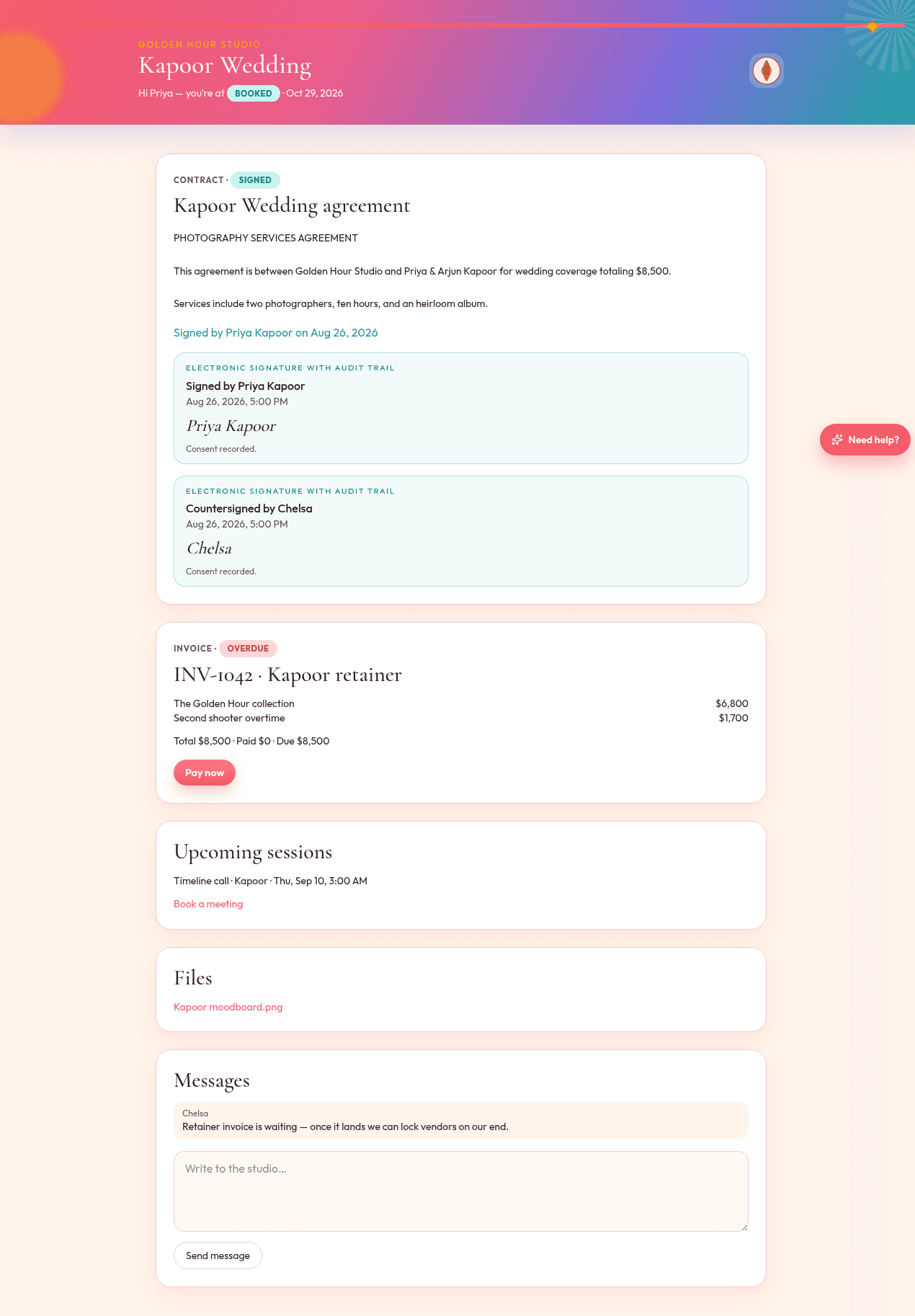
Clients shouldn't need a login they'll forget. Each job has its own private link. View as client shows you exactly what they see.
One link, the whole job
Accept a collection, sign, pay, answer the questionnaire, download the moodboard.
Your color on the bar
Brand color and studio name paint the portal. Change it in Settings and your inquiry form and portal update.
Messages stay on the project
They reply in the portal. You see it on the job and in Messages.
How it goes
- Step 1
Open a project → View as client, or copy the portal URL.
- Step 2
Send smart files so they have something to do.
- Step 3
They act. You see activity, not a “did you get this?” text.